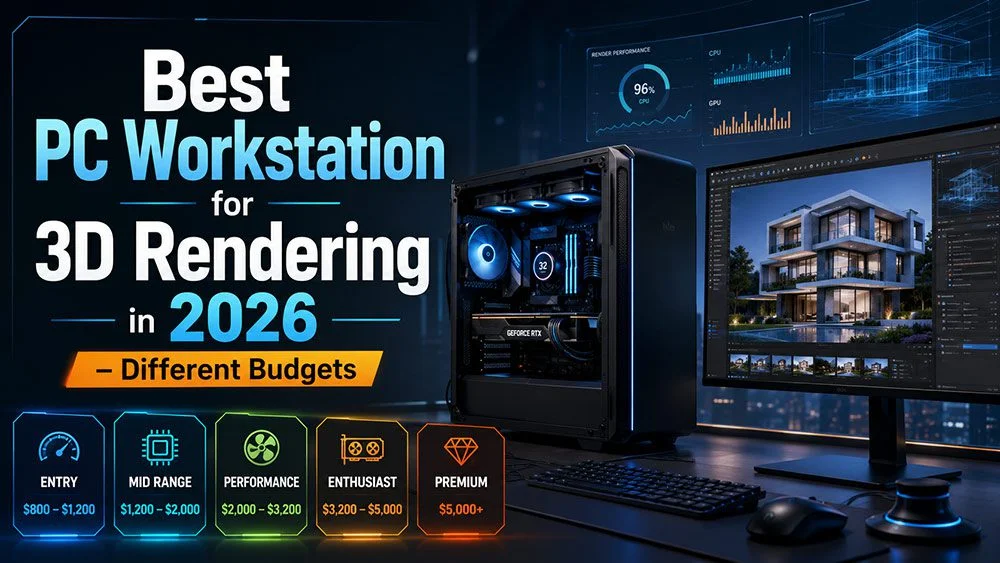
Best PC workstation for 3D rendering in 2026 with high-end rendering PC, monitor, and different budget tiers

Best PC Workstation for 3D Rendering in 2026 – Different Budgets

Best PC workstation for 3D rendering in 2026 with powerful GPU, rendering monitor, and budget categories

A good 3D workstation depends on your workflow. For Corona Renderer and V-Ray CPU, the CPU is very important because V-Ray CPU uses CPU cores for rendering. For V-Ray GPU, Blender Cycles, Unreal Engine, AI tools, and upscaling, the GPU and VRAM become more important.

The render time examples below are only approximate. Real render time depends on scene complexity, resolution, lighting, textures, displacement, RAM, cooling, and render settings.

3D rendering PC workstation setup with RTX graphics card, architecture render screen, and different budget levels

1. Budget 3D Workstation

Around $1,000–$1,500

Good for students, beginners, small interior scenes, product renders, and learning 3ds Max, Blender, V-Ray, Corona, and AI tools.

Recommended Specs

CPU: AMD Ryzen 7 9700X
Cores / Threads: 8 cores / 16 threads
Render impact: Good for starting, but CPU render time will be slower on heavy Corona or V-Ray CPU scenes. AMD lists the Ryzen 7 9700X as 8 cores / 16 threads, with up to 5.5GHz boost clock.

GPU: NVIDIA RTX 5060 Ti 16GB or RTX 5070
Motherboard: B650, B850, or X870
RAM: 32GB DDR5
Storage: 1TB NVMe SSD
Power Supply: 750W Gold
Cooling: Good air cooler or 240mm AIO
Case: Airflow case with mesh front

Approx Render Time Example

If Ryzen 7 9700X takes 60 minutes as a baseline:

CPUCores / ThreadsExample Render Time
Ryzen 7 9700X8 / 1660 minutes

Best For

Small scenes, students, learning, and freelancers with limited budget.

Professional desktop workstation for 3D artists with rendering software, architectural visualization, and PC budget tiers

2. Better Budget / Entry Professional Workstation

Around $1,500–$2,000

Good for freelancers who want better rendering speed without jumping to expensive workstation hardware.

Recommended Specs

CPU: AMD Ryzen 9 9900X
Cores / Threads: 12 cores / 24 threads
Render impact: Noticeably faster than Ryzen 7 for CPU rendering because it has more cores and threads. AMD lists the Ryzen 9 9900X as 12 cores / 24 threads, with up to 5.6GHz boost clock.

GPU: NVIDIA RTX 5070 or RTX 5070 Ti
Motherboard: B850 or X870
RAM: 64GB DDR5 preferred, 32GB minimum
Storage: 1TB–2TB NVMe SSD
Power Supply: 850W Gold
Cooling: 240mm or 360mm AIO
Case: Good airflow mid-tower

Approx Render Time Example

CPUCores / ThreadsExample Render Time
Ryzen 7 9700X8 / 1660 minutes
Ryzen 9 9900X12 / 24around 40–45 minutes

Best For

Freelancers, medium interiors, product rendering, and daily 3D work.

High-end PC build for 3D rendering, V-Ray, Corona, Blender, Unreal Engine, and AI visualization work

3. Mid-Range Professional Workstation

Around $2,000–$3,000

This is the best value range for most professional 3D artists.

Recommended Specs

CPU: AMD Ryzen 9 9950X
Cores / Threads: 16 cores / 32 threads
Render impact: Excellent balance between modeling speed and CPU rendering. AMD lists the Ryzen 9 9950X as 16 cores / 32 threads, with up to 5.7GHz boost clock.

GPU: NVIDIA RTX 5080
Motherboard: X870 or X870E
RAM: 64GB DDR5
Storage: 2TB NVMe SSD
Extra Storage: 2TB–4TB SSD for assets and projects
Power Supply: 1000W Gold or Platinum
Cooling: 360mm AIO
Case: Large airflow case with space for big GPU

Approx Render Time Example

CPUCores / ThreadsExample Render Time
Ryzen 7 9700X8 / 1660 minutes
Ryzen 9 9900X12 / 24around 40–45 minutes
Ryzen 9 9950X16 / 32around 30–35 minutes

Best For

Professional freelancers, architectural visualization, interiors, exteriors, Corona, V-Ray, Blender, Unreal Engine, and AI workflows.

My Favorite Sweet Spot

Ryzen 9 9950X + RTX 5080 + 64GB RAM

This is probably the best balance for most 3D artists.

Best workstation computer for architectural visualization and 3D rendering with different budget recommendations

4. High-End Studio Workstation

Around $4,000–$6,000+

For heavy 3D scenes, animation, large interiors, exteriors, and CPU rendering.

Recommended Specs

CPU: AMD Ryzen Threadripper 7970X
Cores / Threads: 32 cores / 64 threads
Render impact: Much faster for Corona and V-Ray CPU rendering compared with normal Ryzen CPUs. AMD lists the Threadripper 7970X as 32 cores / 64 threads, with up to 5.3GHz boost clock.

GPU: NVIDIA RTX 5090
Motherboard: TRX50
RAM: 128GB DDR5 RDIMM
Storage: 2TB NVMe SSD for system
Extra Storage: 4TB SSD for projects and asset library
Power Supply: 1200W–1600W Platinum
Cooling: High-end 360mm / 420mm AIO or Threadripper cooler
Case: Full-tower workstation case

Approx Render Time Example

CPUCores / ThreadsExample Render Time
Ryzen 7 9700X8 / 1660 minutes
Ryzen 9 9950X16 / 32around 30–35 minutes
Threadripper 7970X32 / 64around 17–22 minutes

Best For

Studios, heavy Corona rendering, heavy V-Ray CPU scenes, animation, and large production files.

Powerful 3D rendering workstation setup with desktop PC, RTX GPU, architecture render, and budget tiers

5. Ultimate Production Workstation

Around $8,000+

For large studios, production houses, animation, VFX, massive 3D scenes, and render-heavy workflows.

Recommended Specs

CPU: AMD Ryzen Threadripper PRO 7995WX
Cores / Threads: 96 cores / 192 threads
Render impact: Extreme CPU rendering power. This is for studios where saving render time is more important than saving hardware cost. AMD lists the Threadripper PRO 7995WX as 96 cores / 192 threads, with up to 5.1GHz boost clock.

GPU: NVIDIA RTX 5090
Optional GPU: Dual GPU if your workflow supports it
Motherboard: WRX90 workstation motherboard
RAM: 256GB–512GB DDR5 ECC RDIMM
Storage: 2TB NVMe Gen5 for system
Extra Storage: 4TB–8TB SSD for active projects and assets
Backup: NAS or external backup system
Power Supply: 1600W Platinum or Titanium
Cooling: Professional Threadripper PRO cooling
Case: Professional workstation full tower

Approx Render Time Example

CPUCores / ThreadsExample Render Time
Ryzen 7 9700X8 / 1660 minutes
Ryzen 9 9950X16 / 32around 30–35 minutes
Threadripper 7970X32 / 64around 17–22 minutes
Threadripper PRO 7995WX96 / 192around 8–12 minutes

Best For

Big studios, animation, VFX, large architectural visualization projects, render farms, and serious production work.

PC workstation guide for 3D rendering in 2026 showing computer build, render screen, and budget categories

Simple Explanation About CPU Cores and Render Time

For Corona Renderer and V-Ray CPU, more cores and threads usually reduce final render time because the CPU can process more render calculations at the same time. Chaos also provides Corona Benchmark to measure rendering speed using a standard Corona scene, which is useful for comparing CPUs.

But scaling is not always perfect. A CPU with double the cores will not always render exactly twice as fast. Render time also depends on:

  • CPU clock speed
  • RAM capacity and speed
  • Cooling performance
  • Scene optimization
  • Texture size
  • Displacement
  • Render resolution
  • Noise limit / samples
  • Software engine

For most 3D artists, the best balanced choice is:

Ryzen 9 9950X – 16 cores / 32 threads
RTX 5080
64GB DDR5 RAM
X870 motherboard
2TB NVMe SSD

Best balanced PC workstation for most 3D artists with Ryzen 9 9950X, RTX 5080, 64GB RAM, X870 motherboard, and 2TB NVMe SSD

For studios doing heavy CPU rendering:

Threadripper 7970X – 32 cores / 64 threads
or
Threadripper PRO 7995WX – 96 cores / 192 threads

Heavy CPU rendering workstation infographic for studios comparing Threadripper 7970X and Threadripper PRO 7995WX for daily production rendering